
extending the blur - Addendum
After being in contact with the Bluristic developer I just wanted to update the original post with clarity on a couple of points.
1) Tracking points.
The Blue and Yellow colored (created by holding down the tracking square for extended period) essentially track the subject(s) in the same way. The difference lies purely in the preview. Holding down a tracking point until it turns yellow enables a tracking preview function, which indicates how the subject focus will be maintained as the camera is moved.
Although an extra step, this is a worthwhile feature when questions might arise over how the app may track, especially if multiple tracking points are set.
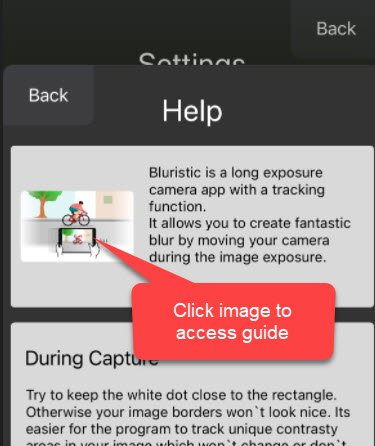
2) User Guide
I, like I’m sure many others was unaware that a user guide exists under Setting/Help. This is accessed by clicking on the image at the top of the help screen. This offers a great overview of the app functions and tips for use.
I hope this helps others understand and get the most out of the app, and many thanks to the developer (@pytebyte) for reaching out and offering clarity.